

We’re thrilled that you’re interested in contributing to Spoo.me! This guide will help you get started with contributing to our lightning-fast URL shortening service, whether you’re fixing bugs, adding features, or improving documentation.
Join our Discord community for real-time discussions, questions, and collaboration with other contributors and maintainers.

Project Architecture

Understanding Spoo.me’s architecture will help you navigate the codebase and make meaningful contributions.

Technology Stack

Backend Framework
  • Flask: Python web framework for handling HTTP requests
  • Jinja2: Template engine for rendering HTML pages
  • Gunicorn: WSGI HTTP Server for production deployment
Database & Caching
  • MongoDB: Primary database for URL storage and analytics
  • Redis: Caching layer for improved performance
Development Tools
  • uv: Modern Python package manager and project management
  • Ruff: Fast Python linter and formatter
  • GitHub Actions: CI/CD pipeline for automated testing

Prerequisites

Before contributing, ensure you have the following installed and basic knowledge of these technologies:
1

System Requirements

# Python 3.10 or higher
python --version

# Git for version control
git --version

# Install if needed from official websites
2

Required Knowledge

Basic familiarity with:
  • Python: Core language for the backend
  • Flask: Web framework fundamentals
  • MongoDB: NoSQL database operations
  • Redis: Caching concepts (optional but helpful)
  • Jinja2: Template syntax for HTML rendering
  • Git/GitHub: Version control and collaboration
Don’t worry if you’re not an expert in all these areas! You can learn as you contribute, and our community is here to help.
3

External Services Setup

For full functionality, you’ll need:
  • MongoDB Atlas account (free tier available)
  • Discord server for webhook testing (optional for basic development)
  • Redis instance (local or cloud, optional for basic development)
These can be set up during the development environment setup process.

Getting Started

Follow these steps to set up your development environment and make your first contribution.
1

Fork and Clone the Repository

# Fork the repository on GitHub first, then clone your fork
git clone https://github.com/YOUR_USERNAME/url-shortener.git

# Navigate to the project directory
cd url-shortener

# Add the original repository as upstream
git remote add upstream https://github.com/spoo-me/url-shortener.git

# Verify remotes
git remote -v
You should see both origin (your fork) and upstream (original repository) remotes.
2

Install uv Package Manager

# Install uv globally
pip install uv

# Verify installation
uv --version
uv is a fast Python package installer and resolver that manages virtual environments automatically.
3

Set Up Development Environment

# Sync dependencies and create virtual environment
uv sync

# This automatically:
# - Creates a virtual environment
# - Installs all dependencies from pyproject.toml
# - Sets up the development environment
Your terminal should now show the virtual environment is active.
4

Configure Environment Variables

Create your local environment configuration:
# Create environment file
touch .env  # On Windows: type nul > .env
Add the required configuration:
# Basic Development Configuration
DEBUG=True
PORT=8000
HOST=0.0.0.0

# MongoDB Configuration (required)
MONGODB_URI=mongodb+srv://username:[email protected]/spoo-me?retryWrites=true&w=majority

# Optional: Redis Configuration (for caching)
REDIS_URI=redis://localhost:6379
REDIS_TTL_SECONDS=3600

# Optional: Discord Webhooks (for contact/report features)
CONTACT_WEBHOOK=https://discord.com/api/webhooks/YOUR_WEBHOOK_ID/YOUR_WEBHOOK_TOKEN
URL_REPORT_WEBHOOK=https://discord.com/api/webhooks/YOUR_WEBHOOK_ID/YOUR_WEBHOOK_TOKEN
Never commit your .env file! It’s already in .gitignore to prevent accidental commits.
5

Start MongoDB

Choose one of these options:
6

Start Redis (Optional)

For enhanced performance with caching:
# Install Redis
# Ubuntu/Debian
sudo apt install -y redis-server

# macOS
brew install redis

# Start Redis
sudo systemctl start redis  # Linux
brew services start redis   # macOS

# Test Redis connection
redis-cli ping
7

Run the Development Server

# Start the Spoo.me development server
uv run main.py
You should see output like:
* Running on http://0.0.0.0:8000
* Debug mode: on
* Restarting with stat
* Debugger is active!
Visit http://localhost:8000 to see your local Spoo.me instance running!
8

Verify Everything Works

Test the core functionality:
  1. URL Shortening: Create a test short URL
  2. URL Redirection: Click the short URL to verify it redirects
  3. Analytics: Check if click statistics are recorded
  4. API Endpoints: Test /api/shorten endpoint
The development server auto-reloads when you make changes, so you can see updates immediately.

How to Contribute

We welcome various types of contributions. Here’s how to get started with each:

🐛 Reporting Bugs

Found a bug? Help us fix it by providing detailed information.
1

Check Existing Issues

Before creating a new issue, search existing issues to avoid duplicates.
2

Use Bug Report Template

Create a new issue using our bug report template, which includes:
  • Bug Description: Clear, concise description of the issue
  • Steps to Reproduce: Exact steps to reproduce the behavior
  • Expected Behavior: What you expected to happen
  • Actual Behavior: What actually happened
  • Environment: OS, Python version, browser (if applicable)
  • Screenshots: Visual evidence if applicable
  • Additional Context: Any other relevant information
3

Provide Complete Information

Include:
# System information
python -m platform
python --version
uv --version

💡 Suggesting Features

Have an idea to improve Spoo.me? We’d love to hear it!
1

Check the Roadmap

Review our project roadmap to see planned features.
2

Use Feature Request Template

Create a feature request including:
  • Feature Summary: Brief description of the proposed feature
  • Problem Statement: What problem does this solve?
  • Proposed Solution: How should this feature work?
  • Alternative Solutions: Other approaches you’ve considered
  • Use Cases: Real-world scenarios where this would be helpful
  • Implementation Ideas: Technical approach (if you have ideas)
3

Discuss Before Implementation

Large features should be discussed in an issue before starting development to ensure alignment with project goals.

🔧 Code Contributions

Ready to dive into the code? Here’s our development workflow.
1

Create a Feature Branch

# Update your fork
git fetch upstream
git checkout main
git merge upstream/main

# Create a new branch
git checkout -b feature/amazing-new-feature
# or
git checkout -b fix/bug-description
Use descriptive branch names: feature/custom-aliases, fix/redis-connection, docs/api-examples
2

Make Your Changes

Follow these guidelines while coding:
  • Write Clean Code: Follow Python PEP 8 conventions
  • Add Comments: Explain complex logic and business rules
  • Update Documentation: Keep docstrings and comments current
  • Handle Errors: Add proper error handling and validation
  • Test Your Changes: Verify functionality works as expected
# Example of well-documented code
def validate_url(url: str) -> bool:
    """
    Validate if a URL is properly formatted and accessible.
    
    Args:
        url (str): The URL to validate
        
    Returns:
        bool: True if URL is valid, False otherwise
        
    Raises:
        ValueError: If URL format is invalid
    """
    # Implementation here
    pass
Don’t worry, even we don’t follow this guideline completely 😅, but we highly recommend you to do so. This way we can maintain a consistent codebase and make it easier for others to understand and contribute to the project.
3

Test Your Changes

# Run the application locally
uv run main.py

# Test in browser
# - Create short URLs
# - Test redirects
# - Check analytics
# - Verify API endpoints

# Test edge cases
# - Invalid URLs
# - Special characters
# - Long URLs
# - Rate limiting
4

Run Code Quality Checks

Before committing, ensure your code meets our standards:
# Format code
uvx ruff format

# Check formatting
uvx ruff format --check

# Run linter
uvx ruff check

# Fix auto-fixable issues
uvx ruff check --fix
All code must pass these checks. The CI pipeline will fail if linting issues are present.
5

Commit Your Changes

Follow our commit message conventions:
# Stage changes
git add .

# Commit with descriptive message
git commit -m "feat: add custom URL alias functionality

- Allow users to specify custom aliases for URLs
- Add validation for alias availability
- Update API documentation with new endpoint
- Add tests for alias functionality"
See the Style Guidelines section below for detailed commit message format.
6

Push and Create Pull Request

# Push to your fork
git push origin feature/amazing-new-feature

# Create pull request through GitHub UI
# or use GitHub CLI
gh pr create --title "Add custom URL alias functionality" --body "Description of changes"

Pull Request Guidelines

Follow these guidelines to ensure your pull request is reviewed and merged quickly.

Pull Request Checklist

1

Before Submitting

  • Code follows style guidelines and passes linting
  • Changes are tested locally
  • Documentation is updated if needed
  • Commit messages follow our format
  • Branch is up to date with main
  • No merge conflicts exist
2

Pull Request Description

Include:
  • Summary: Brief description of what you’ve changed
  • Changes Made: Detailed list of modifications
  • Testing: How you tested the changes
  • Screenshots: Visual changes (if applicable)
  • Breaking Changes: Any breaking changes (if applicable)
## Summary
Add custom URL alias functionality to allow users to create memorable short URLs.

## Changes Made
- Added alias validation endpoint
- Updated URL creation logic to support custom aliases
- Added database schema for alias storage
- Updated API documentation

## Testing
- Tested alias creation and validation
- Verified existing functionality still works
- Tested edge cases (duplicate aliases, invalid characters)

## Screenshots
[Screenshot of new alias input field]
3

Respond to Reviews

  • Address all review comments promptly
  • Ask questions if feedback is unclear
  • Update code based on suggestions
  • Re-request review after making changes
Be open to feedback! Code reviews help maintain quality and are a learning opportunity.

Review Process

  1. Automated Checks: GitHub Actions will run linting and tests
  2. Maintainer Review: A project maintainer will review your code
  3. Community Feedback: Other contributors may provide feedback
  4. Approval: Once approved, your PR will be merged
  5. Deployment: Changes are automatically deployed to production

Project Structure

Understanding the codebase structure will help you navigate and contribute effectively.
url-shortener/
├── main.py                    # Application entry point
├── blueprints/               # Flask route handlers
│   ├── api.py               # API endpoints
│   ├── contact.py           # Contact form handling
│   ├── docs.py              # Documentation routes
│   ├── limiter.py           # Rate limiting logic
│   ├── redirector.py        # URL redirection logic
│   ├── seo.py               # SEO and meta tags
│   ├── stats.py             # Analytics and statistics
│   └── url_shortener.py     # Core URL shortening logic
├── cache/                    # Caching system
│   ├── base_cache.py        # Base cache interface
│   ├── cache_updates.py     # Cache update utilities
│   ├── cache_url.py         # URL-specific caching
│   ├── dual_cache.py        # Dual cache implementation
│   └── redis_client.py      # Redis client configuration
├── utils/                    # Utility functions
│   ├── analytics_utils.py   # Analytics processing
│   ├── contact_utils.py     # Contact form utilities
│   ├── export_utils.py      # Data export functionality
│   ├── general.py           # General utility functions
│   ├── mongo_utils.py       # MongoDB operations
│   ├── pipeline_utils.py    # Data pipeline utilities
│   └── url_utils.py         # URL processing utilities
├── templates/                # Jinja2 HTML templates
│   ├── index.html           # Homepage
│   ├── stats.html           # Analytics page
│   └── api.html             # API documentation
├── static/                   # Static assets
│   ├── css/                 # Stylesheets
│   ├── js/                  # JavaScript files
│   └── images/              # Image assets
├── misc/                     # Miscellaneous files
│   └── GeoLite2-Country.mmdb # GeoIP database
└── .github/                  # GitHub configuration
    ├── workflows/           # CI/CD pipelines
    └── ISSUE_TEMPLATE/      # Issue templates

Key Components

Route Handlers: Each blueprint handles specific functionality:
  • api.py: REST API endpoints
  • url_shortener.py: Core shortening logic
  • redirector.py: URL redirection
  • stats.py: Analytics and statistics
  • contact.py: Contact form processing

Style Guidelines

Consistent code style makes the project maintainable and professional.

Git Commit Messages

Follow the conventional commit format:
type(scope): brief description

Optional longer description explaining the change in more detail.

- Additional context or breaking changes
- References to issues: Fixes #123
Types:
  • feat: New feature
  • fix: Bug fix
  • docs: Documentation changes
  • style: Code style changes (formatting, no logic changes)
  • refactor: Code restructuring without changing functionality
  • perf: Performance improvements
  • test: Adding or updating tests
  • chore: Maintenance tasks, dependency updates
Examples:
git commit -m "feat(api): add custom URL alias endpoint

- Add validation for alias availability
- Support alphanumeric aliases with hyphens
- Update API documentation
- Add rate limiting for alias creation

Fixes #45"

git commit -m "fix(cache): resolve Redis connection timeout

- Increase connection timeout to 30 seconds
- Add connection retry logic
- Improve error handling for cache failures

Fixes #67"

Python Code Style

1

Use Ruff for Linting

We use Ruff for fast Python linting and formatting:
# Format code automatically
uvx ruff format

# Check formatting without changes
uvx ruff format --check

# Run linter checks
uvx ruff check

# Fix auto-fixable issues
uvx ruff check --fix
All code must pass uvx ruff format --check and uvx ruff check before merging.

Frontend Guidelines

HTML, CSS, and JavaScript files are automatically minified in production, so focus on readability and maintainability over optimization.
HTML/Jinja2 Templates:
  • Use semantic HTML elements
  • Maintain consistent indentation (2 spaces)
  • Add comments for complex template logic
  • Use descriptive variable names in templates
<!-- Good: Semantic and well-structured -->
<article class="url-stats-card">
    <header class="stats-header">
        <h2>{{ url.short_code }}</h2>
        <time datetime="{{ url.created_at }}">{{ url.created_at | datetime }}</time>
    </header>
    
    <div class="stats-content">
        {% if url.click_count > 0 %}
            <p>Total clicks: <strong>{{ url.click_count }}</strong></p>
        {% else %}
            <p>No clicks yet</p>
        {% endif %}
    </div>
</article>
CSS Guidelines:
  • Use BEM methodology for class naming
  • Group related styles together
  • Add comments for complex styling
  • Use CSS custom properties for theming
JavaScript Guidelines:
  • Use modern ES6+ syntax
  • Add JSDoc comments for functions
  • Handle errors gracefully
  • Use meaningful variable names

Jinja2 Templating System

Understanding Jinja2 basics will help you work with the frontend templates.
1

Introduction to Jinja2

Jinja2 is a modern and designer-friendly templating language for Python, modelled after Django’s templates. It is fast, widely used and secure with the optional sandboxed template execution environment.File Organization:
  • Templates Directory: Contains HTML files (templates/)
  • Static Directory: Contains CSS, JavaScript, and images (static/)
url-shortener/
├── templates/           # HTML template files
│   ├── index.html
│   ├── stats.html
│   └── api.html
└── static/             # Static assets
    ├── css/            # Stylesheets
    ├── js/             # JavaScript files
    └── images/         # Image assets
Basic Syntax:
  • Variables: {{ variable_name }} - Renders variables sent by the server
  • Control Statements: {% statement %} - Controls template flow and logic
Simple Template Example:
<!DOCTYPE html>
<html lang="en">
  <head>
    <meta charset="UTF-8" />
    <meta name="viewport" content="width=device-width, initial-scale=1.0" />
    <title>{{ title }}</title>
  </head>
  <body>
    <h1>{{ title }}</h1>
  </body>
</html>
The HTML files are rendered using the Jinja2 templating engine, which processes the template syntax and replaces it with actual data from the server.
2

Static File Integration

Separating static files from HTML templates makes the project more organized and easier to maintain. Static files are included using the url_for function.Including CSS:
<!DOCTYPE html>
<html lang="en">
  <head>
    <meta charset="UTF-8" />
    <meta name="viewport" content="width=device-width, initial-scale=1.0" />
    <link rel="stylesheet" href="{{ url_for('static', filename='css/style.css') }}"/>
  </head>
  <body>
    <h1>{{ title }}</h1>
  </body>
</html>
Including Images:
<!DOCTYPE html>
<html lang="en">
  <head>
    <meta charset="UTF-8" />
    <meta name="viewport" content="width=device-width, initial-scale=1.0" />
  </head>
  <body>
    <img src="{{ url_for('static', filename='images/logo.png') }}" alt="Logo"/>
  </body>
</html>
The url_for function is the only recommended way to include static files. While you can add inline CSS and JavaScript, it’s not recommended for maintainability.
3

Static File Versioning (Critical for Production)

When you make changes to static files, you must update the version parameter to ensure changes are reflected in production.Why This Matters: Vercel and other hosting platforms cache static files. Without version updates, your changes won’t appear on the live site.Version Update Examples:
<!-- Initial version -->
<link rel="stylesheet" href="{{ url_for('static', filename='css/style.css') }}?v=1"/>

<!-- After making changes to style.css -->
<link rel="stylesheet" href="{{ url_for('static', filename='css/style.css') }}?v=2"/>

<!-- For JavaScript files -->
<script src="{{ url_for('static', filename='js/app.js') }}?v=3"></script>

<!-- For images (if modified) -->
<img src="{{ url_for('static', filename='images/logo.png') }}?v=1" alt="Logo"/>
CRITICAL: Always increment the version number (?v=X) when you modify any static file. This ensures users see your changes immediately.
4

Important Guidelines

Scope and Limitations:Can be used in HTML templates:
  • {{ }} syntax for variables
  • {% %} syntax for control statements
  • url_for() function for URLs
  • Template inheritance and includes
Cannot be used in static files:
  • CSS files cannot access Jinja2 variables
  • JavaScript files cannot use Jinja2 syntax
  • Image files are static assets only
For Frontend Contributors:
  • Focus on static files (CSS, JS, images)
  • Basic Jinja2 understanding helps when modifying HTML structure
  • Consult Jinja2 documentation for advanced features
File Management:
  • New static files go in static/<file_type>/ directory
  • Include new files using url_for() in templates
  • Always use version parameters for cache busting
If you’re contributing to frontend styling, you’ll mainly work with static files, but understanding template structure helps when HTML changes are needed.
5

Template Syntax

Variables: {{ variable_name }} Control Structures: {% if condition %}...{% endif %} Comments: {# This is a comment #}
<!-- Variable rendering -->
<h1>Welcome to {{ site_name }}!</h1>

<!-- Conditional rendering -->
{% if user.is_authenticated %}
    <p>Hello, {{ user.name }}!</p>
{% else %}
    <p>Please log in.</p>
{% endif %}

<!-- Loop rendering -->
{% for url in recent_urls %}
    <div class="url-item">
        <a href="{{ url.short_url }}">{{ url.short_code }}</a>
        <span>{{ url.click_count }} clicks</span>
    </div>
{% endfor %}
6

Template Inheritance

Use base templates for consistent layout:
<!-- base.html -->
<!DOCTYPE html>
<html>
<head>
    <title>{% block title %}Spoo.me{% endblock %}</title>
</head>
<body>
    <nav><!-- Navigation --></nav>
    
    <main>
        {% block content %}{% endblock %}
    </main>
    
    <footer><!-- Footer --></footer>
</body>
</html>

<!-- index.html -->
{% extends "base.html" %}

{% block title %}URL Shortener - Spoo.me{% endblock %}

{% block content %}
    <h1>Shorten Your URLs</h1>
    <!-- Page content -->
{% endblock %}
7

Filters and Functions

Use Jinja2 filters for data formatting:
<!-- Date formatting -->
<time>{{ url.created_at | strftime('%Y-%m-%d') }}</time>

<!-- Number formatting -->
<span>{{ click_count | comma_format }} clicks</span>

<!-- URL formatting -->
<a href="{{ long_url | url_for_display }}">{{ long_url | truncate(50) }}</a>

<!-- Conditional classes -->
<div class="status {{ 'active' if url.is_active else 'inactive' }}">
    Status: {{ url.status | title }}
</div>
8

URL Generation with url_for

Use Flask’s url_for function to generate URLs for routes and static files:
<!-- Linking to routes -->
<a href="{{ url_for('main.index') }}">Home</a>
<a href="{{ url_for('api.shorten_url') }}">API</a>
<a href="{{ url_for('stats.url_stats', short_code='abc123') }}">View Stats</a>

<!-- Static file URLs -->
<link rel="stylesheet" href="{{ url_for('static', filename='css/style.css') }}">
<script src="{{ url_for('static', filename='js/app.js') }}"></script>
<img src="{{ url_for('static', filename='images/logo.png') }}" alt="Logo">

<!-- External URLs (when you need to build full URLs) -->
<meta property="og:url" content="{{ url_for('main.index', _external=True) }}">
<link rel="canonical" href="{{ url_for('redirector.redirect_url', short_code=url.short_code, _external=True) }}">

<!-- URLs with query parameters -->
<a href="{{ url_for('stats.url_stats', short_code='abc123', period='week') }}">Weekly Stats</a>

<!-- Form actions -->
<form action="{{ url_for('contact.submit_form') }}" method="POST">
    <!-- Form fields -->
</form>
Using url_for ensures your links work correctly even if you change route patterns later. It’s more maintainable than hardcoding URLs.
Common Flask routes in Spoo.me:
  • main.index: Homepage (/)
  • api.shorten_url: API endpoint (/api/shorten)
  • stats.url_stats: Statistics page (/stats/<short_code>)
  • redirector.redirect_url: URL redirection (/<short_code>)
  • static: Static files (/static/<filename>)

Additional Guidelines

Documentation

  • Update Documentation: When adding features, update relevant documentation
  • API Documentation: Update OpenAPI spec for API changes
  • Code Comments: Explain complex business logic and algorithms
  • README Updates: Keep setup instructions current

Security Considerations

  • Input Validation: Always validate and sanitize user input
  • Rate Limiting: Respect existing rate limits and add new ones as needed
  • Environment Variables: Never hardcode sensitive information
  • SQL Injection: Use parameterized queries (applies to MongoDB aggregations)
  • XSS Prevention: Escape user content in templates

Performance Best Practices

  • Database Queries: Optimize MongoDB queries and use indexes
  • Caching: Leverage Redis caching for frequently accessed data
  • API Responses: Keep API responses minimal and paginated
  • Static Assets: Optimize images and minimize asset sizes

Testing Guidelines

While we don’t have formal tests yet, ensure your changes:
  • Work with various URL formats
  • Handle edge cases gracefully
  • Don’t break existing functionality
  • Perform well under load
  • Work across different browsers (for frontend changes)
Consider adding unit tests for complex functions you create. We’re working on expanding our test coverage!

Automated Testing with GitHub Actions

For testing integrations and validating your changes in CI/CD workflows, we provide a GitHub Action that automatically sets up the complete spoo.me environment.

GitHub Action Setup Guide

Learn how to use our GitHub Action for automated testing workflows and integration testing
The Spoo.me Setup Action enables you to:
  • Integration Testing: Test your changes against a live spoo.me instance
  • Multi-Version Testing: Validate compatibility across different Python/MongoDB versions
  • Load Testing: Verify performance under various conditions
  • API Testing: Automate API endpoint validation
  • Running pytest: Automate pytests on github actions with local spoo.me instance
Quick example for testing your contributions:
name: Test My Changes

on: [push, pull_request]

jobs:
  test:
    runs-on: ubuntu-latest
    steps:
      - uses: actions/checkout@v4
      
      - name: Setup Spoo.me Service
        uses: spoo-me/setup-action@v1
        id: spoo
        
      - name: Test my feature
        run: |
          # Test your changes against the running service
          curl -X POST \
            -H "Content-Type: application/json" \
            -d '{"url": "https://example.com"}' \
            ${{ steps.spoo.outputs.service-url }}/api/shorten
This is particularly useful for testing API changes, database integrations, and performance improvements before submitting pull requests.

Getting Help

Need assistance while contributing? Here are the best ways to get help:

Recognition

We value all contributions to Spoo.me! Contributors are recognized through:
  • Contributors Page: Listed on our website and README
  • Release Notes: Mentioned in release notes for significant contributions
  • Discord Roles: Special contributor roles in our Discord server
Thank you for contributing to Spoo.me! Your efforts help make URL shortening better for everyone.

Ready to start contributing? Fork the repository and make your first contribution today!
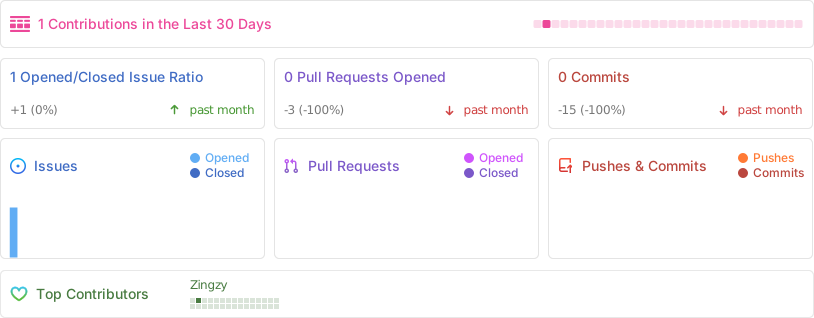
spoo.me contributions