> ## Documentation Index
> Fetch the complete documentation index at: https://docs.spoo.me/llms.txt
> Use this file to discover all available pages before exploring further.
# SpooBot
SpooBot is the official Discord bot for Spoo.me that brings URL shortening capabilities directly to your Discord server. With SpooBot, you can **shorten URLs**, **get statistics**, and even **generate code examples** in various programming languages.
## Features
Shorten URLs directly in Discord with custom settings
Get detailed analytics for your shortened URLs
Generate code examples in multiple programming languages
## Add SpooBot to Your Server
Click here to add SpooBot to your Discord server
## Commands
### `/shorten` - Shorten URLs
Shorten long URLs with optional custom settings.
**Usage:**
```
/shorten url: [alias:] [password:] [max-clicks:]
```
**Parameters:**
* `url` (required): The URL you want to shorten
* `alias` (optional): Custom alias for the shortened URL
* `password` (optional): Password to protect the URL
* `max-clicks` (optional): Maximum number of clicks allowed
**Examples:**
```
/shorten url:https://example.com
/shorten url:https://example.com alias:mylink
/shorten url:https://example.com password:mypass123@ max-clicks:100
```
### `/stats` - Get URL Statistics
Retrieve detailed statistics for a shortened URL.
**Usage:**
```
/stats short-code: [password:]
```
**Parameters:**
* `short-code` (required): The short code of the URL (without the domain)
* `password` (optional): Password if the URL is protected
**Examples:**
```
/stats short-code:abc123
/stats short-code:xyz789 password:mypass123@
```
### `/get-code` - Generate Code Examples
Generate code examples for URL shortening in various programming languages.
**Usage:**
```
/get-code language: [url:] [alias:] [password:]
```
**Supported Languages:**
* Python
* Python (Aiohttp)
* JavaScript (Node.js)
* JavaScript (Fetch API)
* JavaScript (axios)
* C
* C#
* Clojure
* Java
* Go
* Kotlin
* R
* Ruby
* Rust
* PHP
* cURL
**Parameters:**
* `language` (required): Programming language for the code example
* `url` (optional): Custom URL for the example (defaults to example.com)
* `alias` (optional): Custom alias for the example
* `password` (optional): Password for the example
**Examples:**
```
/get-code language:python
/get-code language:javascript url:https://mysite.com alias:myalias
/get-code language:curl password:mypass123@
```
## Bot Features
### Interactive Responses
SpooBot provides rich, interactive responses with:
* **Embedded messages** with color-coded status indicators
* **Button interactions** for quick actions
* **Error handling** with helpful suggestions
* **Rate limit notifications** to keep users informed
### Statistics Display
When using `/stats`, SpooBot displays comprehensive analytics including:
* Total clicks and unique clicks
* Average daily, weekly, and monthly clicks
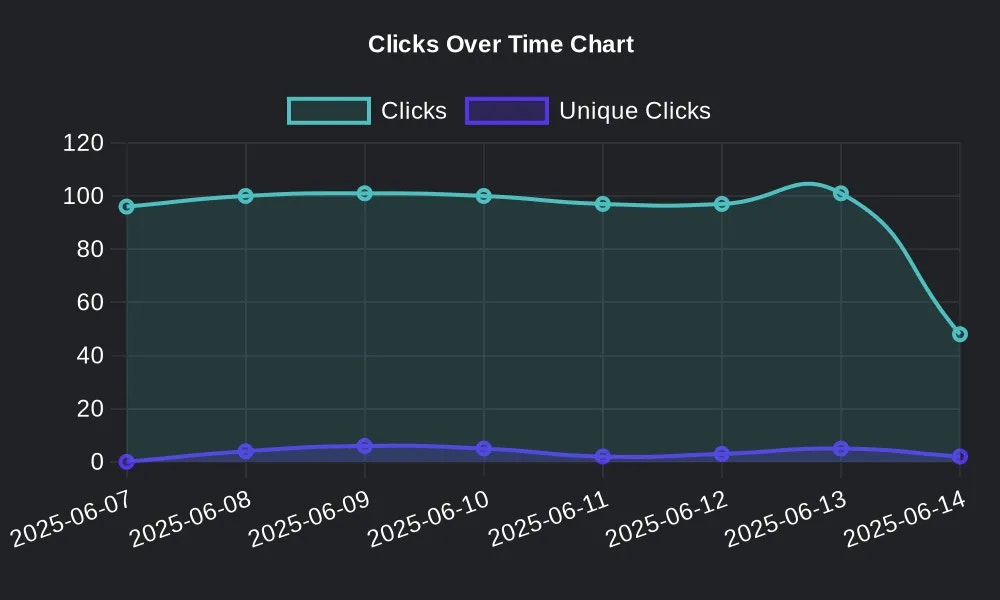
* Click distribution over time
* Last click information
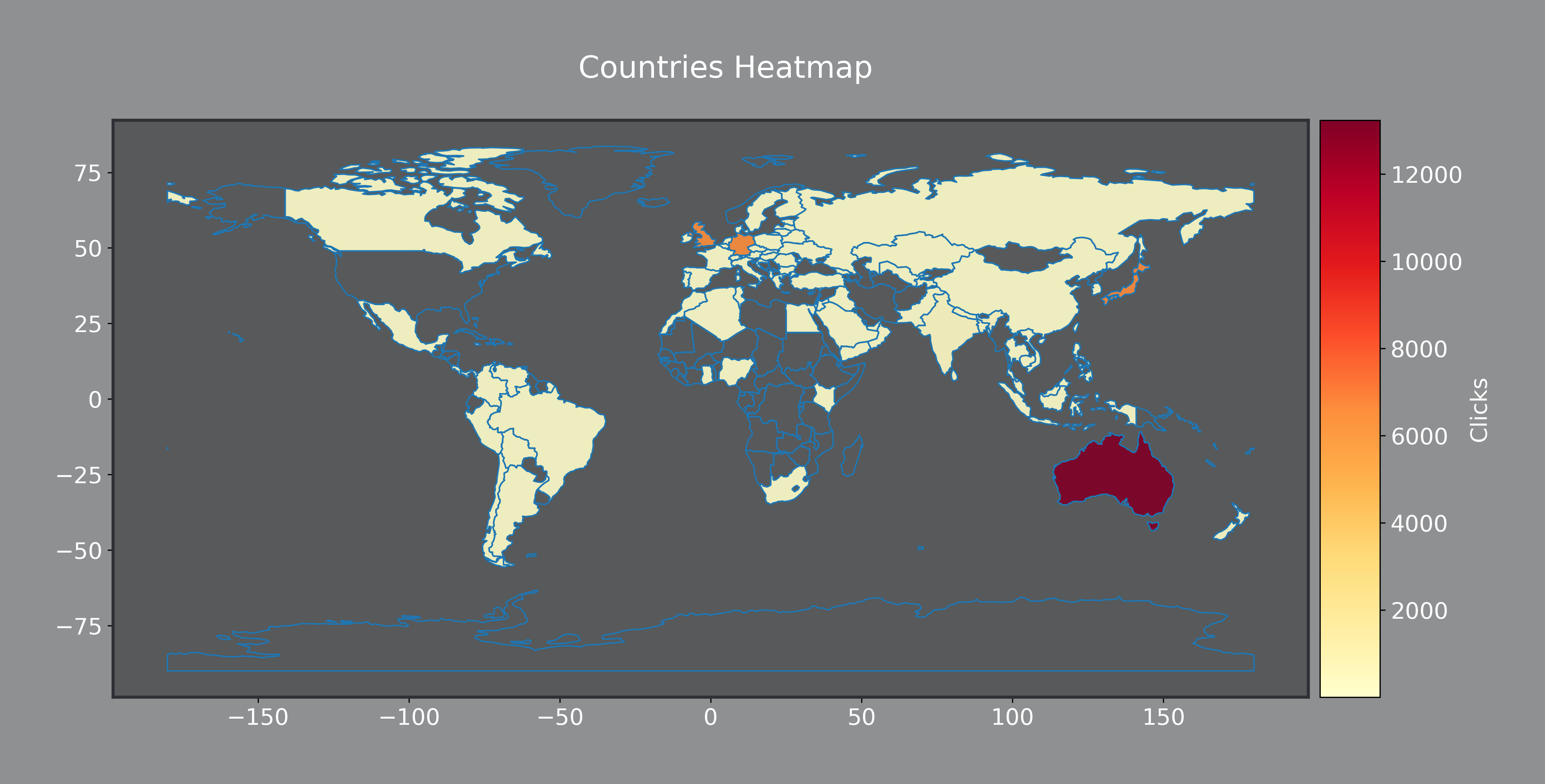
 * Countries where the link was accessed
* Unique country statistics
* Geographic distribution charts
* Countries where the link was accessed
* Unique country statistics
* Geographic distribution charts
 * Browser usage statistics
* Operating system information
* Referrer data
* Bot access information
* Password protection status
* Bot blocking status
* Click limits and expiration
* Average redirection time
### Code Generation Features
The `/get-code` command provides:
* **Syntax highlighting** for better readability
* **Complete examples** with error handling
* **Multiple language support** for diverse development needs
* **Customizable parameters** for specific use cases
* **Warnings** if some of the passed parameters are incorrect
## Rate Limits
SpooBot respects the same rate limits as the Spoo.me API:
**Rate Limits:**
* 5 requests per minute
* 50 requests per hour
* 500 requests per day
Rate limits are applied per Discord user, not per server.
## Support and Community
### Getting Help
Join our official Discord server for support and updates
Type `/help` in any channel where SpooBot is present
SpooBot is open source - contribute or report issues
## Troubleshooting
**Possible solutions:**
1. Ensure SpooBot has "Use Slash Commands" permission
2. Check if the bot is online (green status)
3. Try using commands in a different channel
4. Re-add the bot with proper permissions
**What to do:**
1. Wait for the rate limit to reset
2. Reduce the frequency of commands
3. Check your current usage with server administrators
**Troubleshooting steps:**
1. Verify the short code is correct
2. Include password if the URL is protected
3. Ensure the URL exists and has been accessed
4. Try the command again after a few minutes
SpooBot is actively maintained and regularly updated with new features. Join our Discord server to stay informed about updates and new capabilities!
* Browser usage statistics
* Operating system information
* Referrer data
* Bot access information
* Password protection status
* Bot blocking status
* Click limits and expiration
* Average redirection time
### Code Generation Features
The `/get-code` command provides:
* **Syntax highlighting** for better readability
* **Complete examples** with error handling
* **Multiple language support** for diverse development needs
* **Customizable parameters** for specific use cases
* **Warnings** if some of the passed parameters are incorrect
## Rate Limits
SpooBot respects the same rate limits as the Spoo.me API:
**Rate Limits:**
* 5 requests per minute
* 50 requests per hour
* 500 requests per day
Rate limits are applied per Discord user, not per server.
## Support and Community
### Getting Help
Join our official Discord server for support and updates
Type `/help` in any channel where SpooBot is present
SpooBot is open source - contribute or report issues
## Troubleshooting
**Possible solutions:**
1. Ensure SpooBot has "Use Slash Commands" permission
2. Check if the bot is online (green status)
3. Try using commands in a different channel
4. Re-add the bot with proper permissions
**What to do:**
1. Wait for the rate limit to reset
2. Reduce the frequency of commands
3. Check your current usage with server administrators
**Troubleshooting steps:**
1. Verify the short code is correct
2. Include password if the URL is protected
3. Ensure the URL exists and has been accessed
4. Try the command again after a few minutes
SpooBot is actively maintained and regularly updated with new features. Join our Discord server to stay informed about updates and new capabilities!